Research note · AI agents · October 2024
Evaluate News: what other sites say about an article
You give it a link, and it tells you what other sites are saying about the main claims in that article.
You know the feeling. You read an article, something in it sounds a bit off, and before you know it you’ve got ten tabs open trying to figure out if anyone else is actually reporting the same thing. Half an hour later you’re reading comments on some forum and you still don’t really know.
So I built a little tool to do the tab-opening for me. You give it a link, and it tells you what other sites are saying about the main claims in that article.
It lives at evaluate.news. My favorite little detail: you don’t even need to paste anything in. Just stick evaluate.news/ in front of any link in your address bar, so https://some-news-site.com/story becomes evaluate.news/https://some-news-site.com/story, and it starts checking that page.
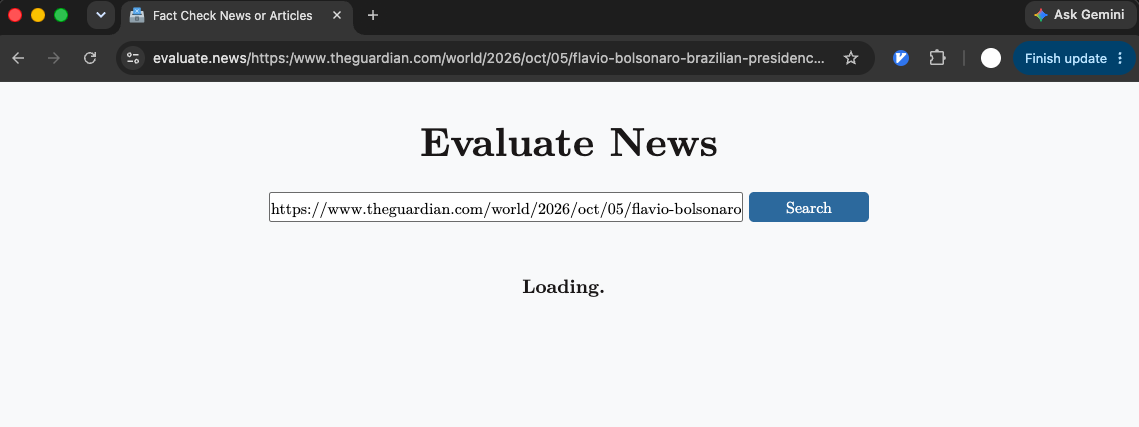
evaluate.news/. The link lands in the search box on its own and the check starts.1. What it actually does
It’s pretty simple when you break it down:
- It opens the link you gave it and grabs the text. There’s a headless browser doing the crawling, since a lot of news sites don’t play nice with plain requests.
- An AI agent reads the article and picks out up to 3 key claims, quoted straight from the text. Stuff that’s actually worth checking.
- Each claim gets thrown into a web search (I’m using the Brave Search API) to find other articles covering the same thing. The original link gets filtered out so the article can’t vouch for itself, which would be kind of pointless.
- A second agent reads the top 3 results for each claim and decides whether that source agrees, disagrees, is neutral, or is just inconclusive.
- Every verdict comes with who said it and a direct quote from their article. I told the model not to paraphrase and not to give its own opinion, because the whole point is to see what the sources say, not what the AI thinks.
What comes back is a list of claims, each one with a handful of sources sorted into agree, disagree, and so on.
2. The RAG part
The core of the whole thing is RAG, short for retrieval-augmented generation. That’s how it compares the original article against similar ones.
If you haven’t come across the term before, the idea is pretty intuitive. Instead of asking an AI a question and hoping it remembers the answer from training, you go fetch the relevant documents first and hand them to the model along with the question. So it’s answering from real text sitting right in front of it, not from memory. Kind of like an open-book exam.
In this project it works like this:
- Retrieval: the claims pulled from your article become search queries, and the tool grabs similar articles from the web. Each of those articles gets split into chunks, and every chunk (plus the claim itself) is turned into an embedding, which is basically a point in a big vector space where text with similar meaning lands close together. Then it ranks the chunks by cosine similarity to the claim, so the parts of the article that are actually talking about the same thing float to the top.
- Augmentation: the top-ranked chunks get stuffed into the prompt right next to the claim being checked.
- Generation: the model reads that and writes its verdict, quoting the article to back it up.
So where do the embeddings live? In Redis, the same one that’s already running the job queue. Redis has vector search built in now, so I didn’t need to bring in a separate vector database. Each chunk gets saved with its text, the URL it came from, and its embedding, and a vector index set to cosine distance handles the “give me the closest chunks to this claim” lookup. The chunks also get the same 2-hour expiry as everything else, so it’s more of a short-term memory than a permanent archive. The nice side effect is that when a big story is everywhere and the same article keeps showing up as a source, it only gets embedded once.
I think this is a really good fit for fact-checking. The model doesn’t need to already know anything about the story. It just needs to read carefully and report back. The embedding step matters more than you’d think, too. News articles are long, and the one paragraph that confirms or contradicts a claim is often buried halfway down, so grabbing the most similar chunks beats just feeding in the top of the page. And since the retrieval step starts with live search instead of some pre-built database, it works on news that came out this morning too.
3. How it’s put together
A full check isn’t quick. It crawls the original article, runs a few searches, crawls up to 9 more pages, and makes a bunch of LLM calls. That can easily take longer than you’d want an HTTP request to hang open, so I split the backend into two pieces with Redis in the middle.
- The API is a small FastAPI server. Its whole job is to take a link, check Redis, and answer fast. It never does the heavy lifting itself.
- Redis does triple duty. It’s the job queue (through rq), it’s where finished results live, and it’s the vector store for the article embeddings.
- The worker is an rq worker that pulls jobs off the queue and runs the whole pipeline: crawling, search, and both agents.
Here’s what happens when you submit a link:
- The API looks in Redis for a saved result for that link. If there is one, you get it back right away.
- If not, it checks whether a job for that link is already in the queue. The job ID is just the URL, so if ten people paste the same trending article at once, they all end up waiting on one job instead of kicking off ten.
- Otherwise it queues a new job and immediately responds with a status like “queued”.
- The worker picks the job up, marks it as processing in Redis, and runs the pipeline. The claims and their sources are checked in parallel, so the total time is closer to the slowest page than to the sum of all of them.
- When it’s done, the worker writes the result (or a “failed” status if the crawl didn’t work) back to Redis with a 2-hour expiry.
- Meanwhile the frontend just polls the same endpoint until the status flips to finished.
Splitting it this way also keeps the expensive part away from the API. The crawling runs a real headless browser (crawl4ai on top of Playwright), which eats a lot of CPU and memory. I actually had to turn the concurrency down at one point to keep the worker from running out of memory. With the queue in between, a pile of slow crawls just means jobs wait a bit longer. The API stays snappy, and if I need more throughput I can add more workers.
In production, the API and the worker each run as their own systemd service, so if either one crashes it comes right back up. For the AI side, both agents use OpenAI models with structured outputs, so the results come back as clean JSON instead of something I have to parse. Search goes through the Brave Search API.
4. Stuff that’s still rough
It’s definitely not perfect. Some sites just refuse to be crawled (paywalls, heavy anti-bot stuff), and when that happens those links get skipped or the whole check fails. Crawling is also pretty CPU hungry, so at some point I want to split the crawler out into its own worker.
And honestly, 3 claims and 3 sources per claim is a small sample. It’s enough to get a feel for whether something is widely reported or not, but it’s not going to replace a real fact-checker.
Still, it’s been fun to build, and it’s already saved me from a few of those 30-minute tab spirals.